3.2. Models
Each model addresses specific aspects of shoreline evolution, providing flexibility to accomodate different time and space scales for diverse study requirements and design objectives. Please, follow the guidelines of each model described in the links bellow to help you understand and apply these models effectively, covering all essential preparation setup steps. Two study cases are provided for general testing, see the link for the description of the study case data provided.
Static Equilibrium Models: These models consider that the modeled process will vary temporally around a static equilibrium condition and include expressions for the beach planform and profile shapes.
EBSEM (Equilibrium-Based Shoreline Evolution): These models are based on the hypothesis of orthogonality of beach processes, and can be decomposed into transverse and longitudinal sediment transport, responding respectively to the evolution of the beach profile or to the variability of the planform shape.
One-Line Models: These models consider sediment transport forced by oblique wave approach to represent the temporal evolution of the shoreline.
Hybrid Models: These models combine cross-shore and longshore transport processes to extend the one-line model approach.
The table below summarizes the models available in IH-SET.
| Type | Sub-type | Models |
|---|---|---|
| Static Equilibrium | Equilibrium profile |
|
| Equilibrium planform |
|
|
| EBSEM | Cross-shore |
|
| Rotation |
|
|
| One-line models |
|
|
| Hybrid models |
|
|
Table 3. Modules and Models included in IH-SET
All models can be accessed under the Models tab, as shown in Fig. 3-1. This is also where the NetCDF file generated in the Preprocess module must be uploaded in order to access the model interfaces. This file, containing important information such as wave climate, shorelines, and orientations, provides the required dataset for the for the EBSEM, One-line, and Hybrid simulations. Once the NetCDF file is uploaded, the user can switch between models without the need to select the same file again.
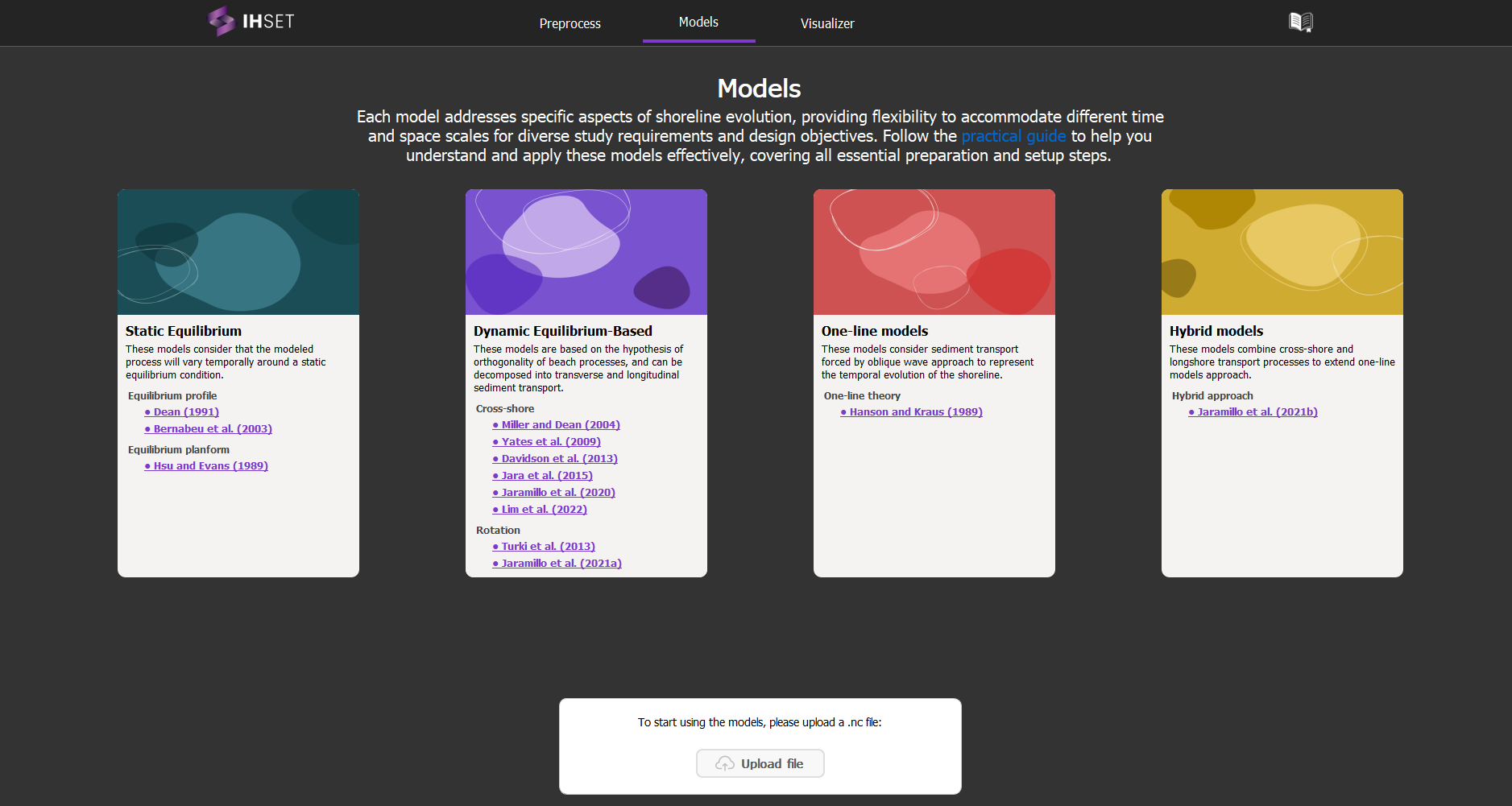
Fig. 3-1. The Models tab listing all modules and their respective models that can be accessed within IH-SET.
Fig. 3-2 illustrates the basic user interface for simulating each module, with the following key sections:
(1) Tab Selection: This section allows the user to navigate between the Preprocess, Models, and Vizualizer tabs, respectively containing the Preprocess module, the list of models, and the Visualizer module.
(2) Simulation Settings: This part of the interface is where the user can configure the specific settings for the simulation, such as time parameters, model configurations, and any other relevant settings, as well as run the model.
(3) Simulation Display: Before running the simulation, this section presents the shoreline position for the selected transect. After running the simulation, this section presents the results generated by the selected module, allowing the user to review and analyze the output.
Each of these components plays a crucial role in setting up and executing the simulation process effectively.
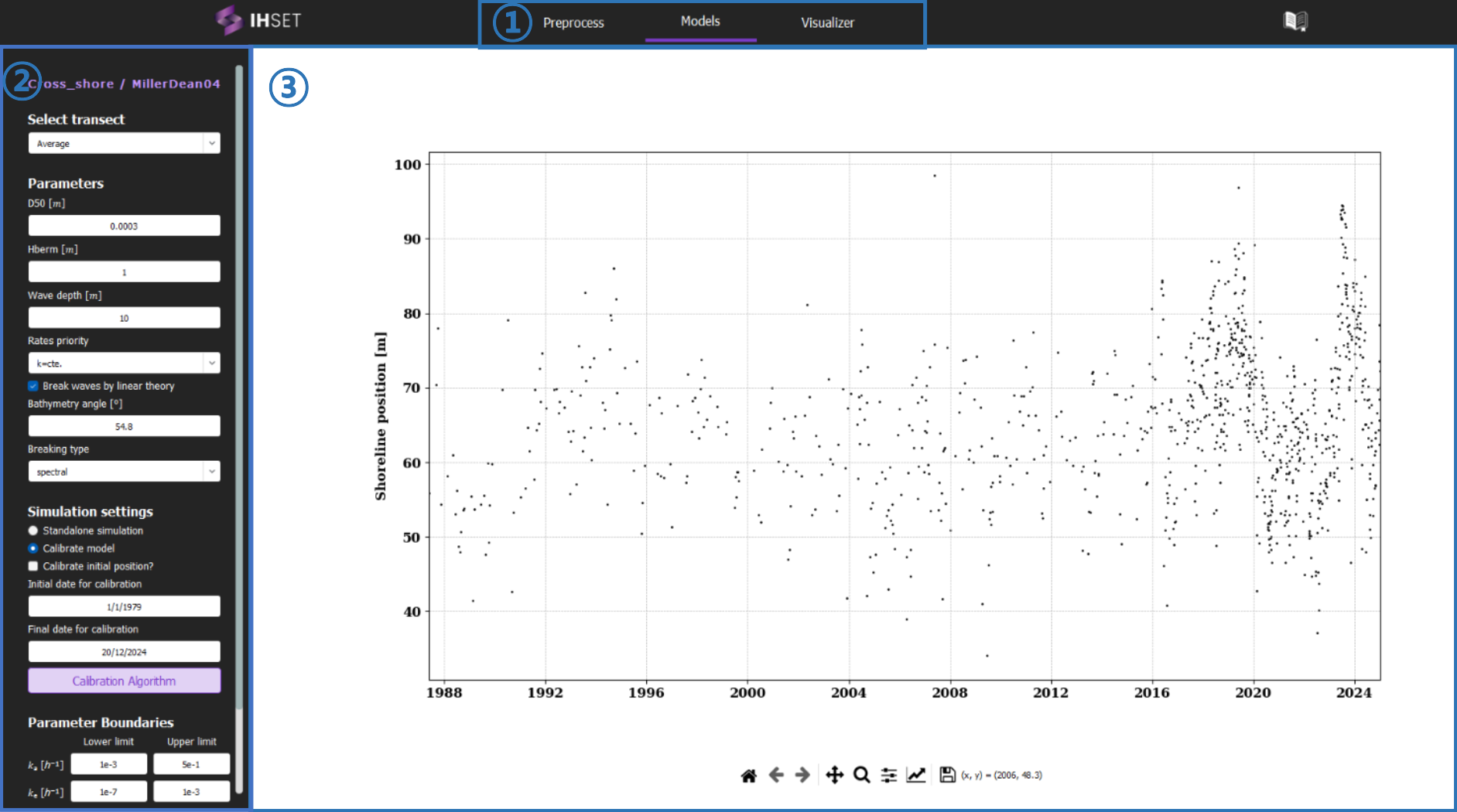
Fig. 3-2. User interface of IH-SET with the key sections for simulating
