2. Installation
To foster effective knowledge sharing, IH-SET has been made freely available for use in government, consulting, research, and education purposes. The software can be installed onto any recent Windows PC and is available for download at this link [insert link]. As newer versions of the software are released, updates will be posted in this documentation and on the download page for the software. Additionally, the individual models are available on the IHCantabria GitHub page.
2.1. Software and Data Availability
Name: Shoreline Evolution Tools (IH-SET)
Developer: Coastal Management and Engineering Research Group, IHCantabria
Year First Available: 2025
Most Recent Release: TBD
Software Required: Windows
Hardware Required: Any recent PC
Availability: The IH-SET is available for federal and state practitioners, coastal consulting firms, and researchers.
Cost: IH-SET is freely available to those who with expertise in the field.
Inquiry: (Email) ihset@ihcantabria.com (Phone) +34 942 20 16 16
2.2. Installation procedure
Once you have acquired the IH-SET software, the installation process is very straightforward. Here’s a step-by-step guide for installing the IH-SET software:
2.2.1. Run the Software : Double-click the executable file for IH-SET software to open the Setup window (Fig. 2-2-1).

Fig. 2-2-1. Installation procedure - Step 1
2.2.2. Accept License Agreement : Before installing the software, review and accept the license agreement by checking the option and clicking the Next button. This is a necessary step for installation (Fig. 2-2-2).
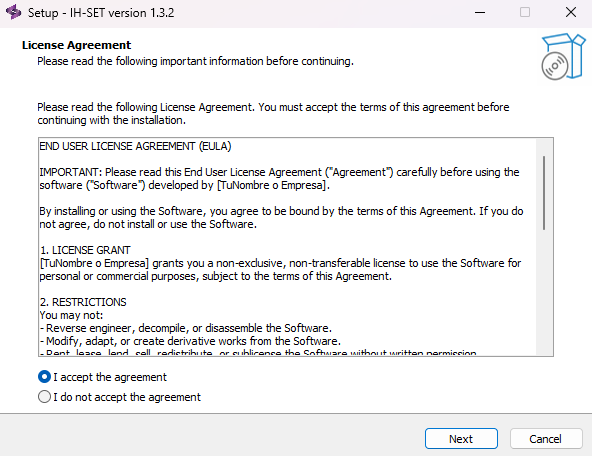
Fig. 2-2-2. Installation procedure - Step 2
2.2.3. Create Desktop Shortcut : To create a desktop shortcut, check the option and click the Next button. If you don’t want a shortcut, just click the Next button (Fig. 2-2-3).
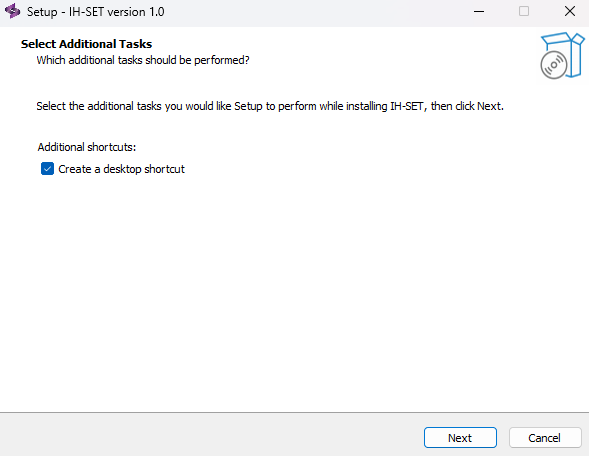
Fig. 2-2-3. Installation procedure - Step 3
2.2.4. Review Installation Tasks : On the next screen, review the installation tasks and click Install (Fig. 2-2-4).
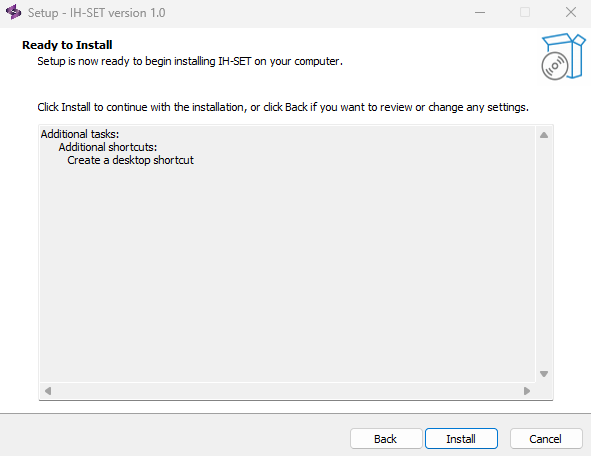
Fig. 2-2-4. Installation procedure - Step 4
2.2.5. Complete Installation : The software will be installed. Once the installation is complete, IH-SET will be set up on your system (Fig. 2-2-5).
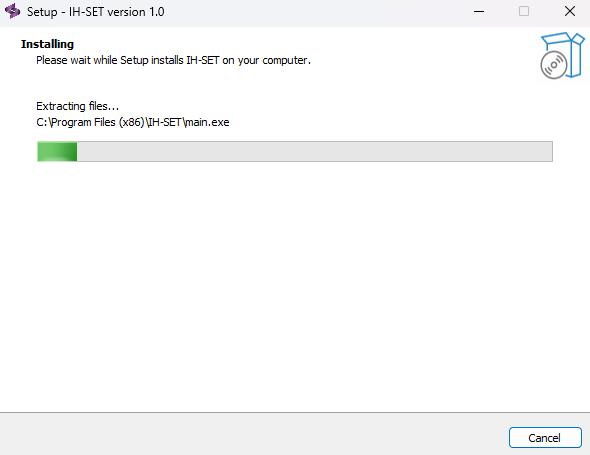
Fig. 2-2-5. Installation procedure - Step 5
2.2.6. Launch the Software : To run IH-SET immediately, check the Launch IH-SET box and click the Finish button. If you don’t want to launch yet, just click the Finish button (Fig. 2-2-6).
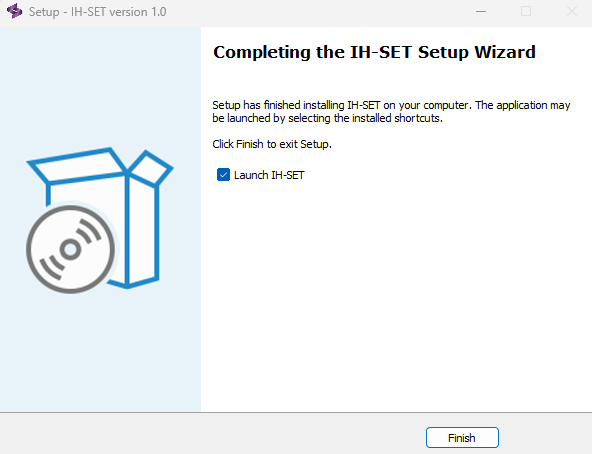
Fig. 2-2-6. Installation procedure - Step 6
After this, the installation will be complete and the IH-SET software can be run at any time on your computer.
